
Every channel, one inbox
Your customers reach out on 7 different channels. Your team works from one queue. Every message, every channel, every conversation -- unified.
Stop switching between dashboards
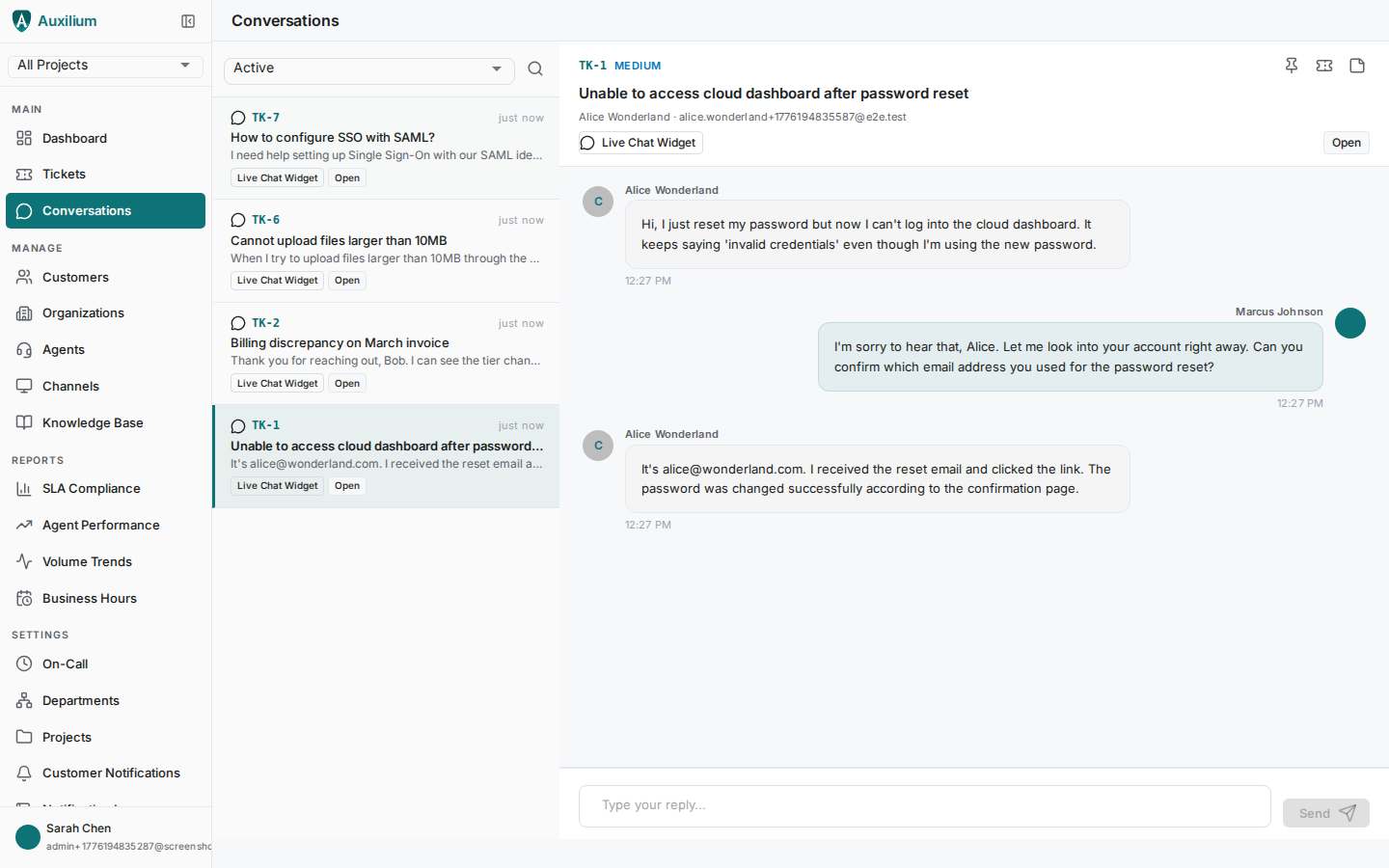
Osewa's inbox shows every active conversation across all channels in a single view. See the customer, the channel, the latest message, and the ticket context at a glance. Filter by status, channel, or priority.
- Single queue for all channels -- no tab switching
- Latest message preview with sender and timestamp
- Channel type and name visible on every conversation
- Filter by ticket status, priority, or channel type
7 channels, zero fragmentation
Connect the channels your customers already use. Every message creates or continues a conversation in your unified inbox.
Full IMAP/SMTP integration with header preservation, CC/BCC support, thread linking via Message-ID, and per-agent signatures.
Slack
Receive and respond to support requests directly in Slack channels. Conversations sync back to the unified inbox automatically.
Microsoft Teams
For Microsoft-centric organizations. Full bi-directional messaging with Teams channels.
Live chat widget
Embed a chat widget on your website. Customers start conversations that flow directly into your ticket queue.
Customer portal
A branded self-service portal where customers create tickets, track status, and browse your knowledge base.
WhatsApp & Telegram
Reach mobile-first customers on their preferred messaging platforms. Full bi-directional support.
Know your channel health
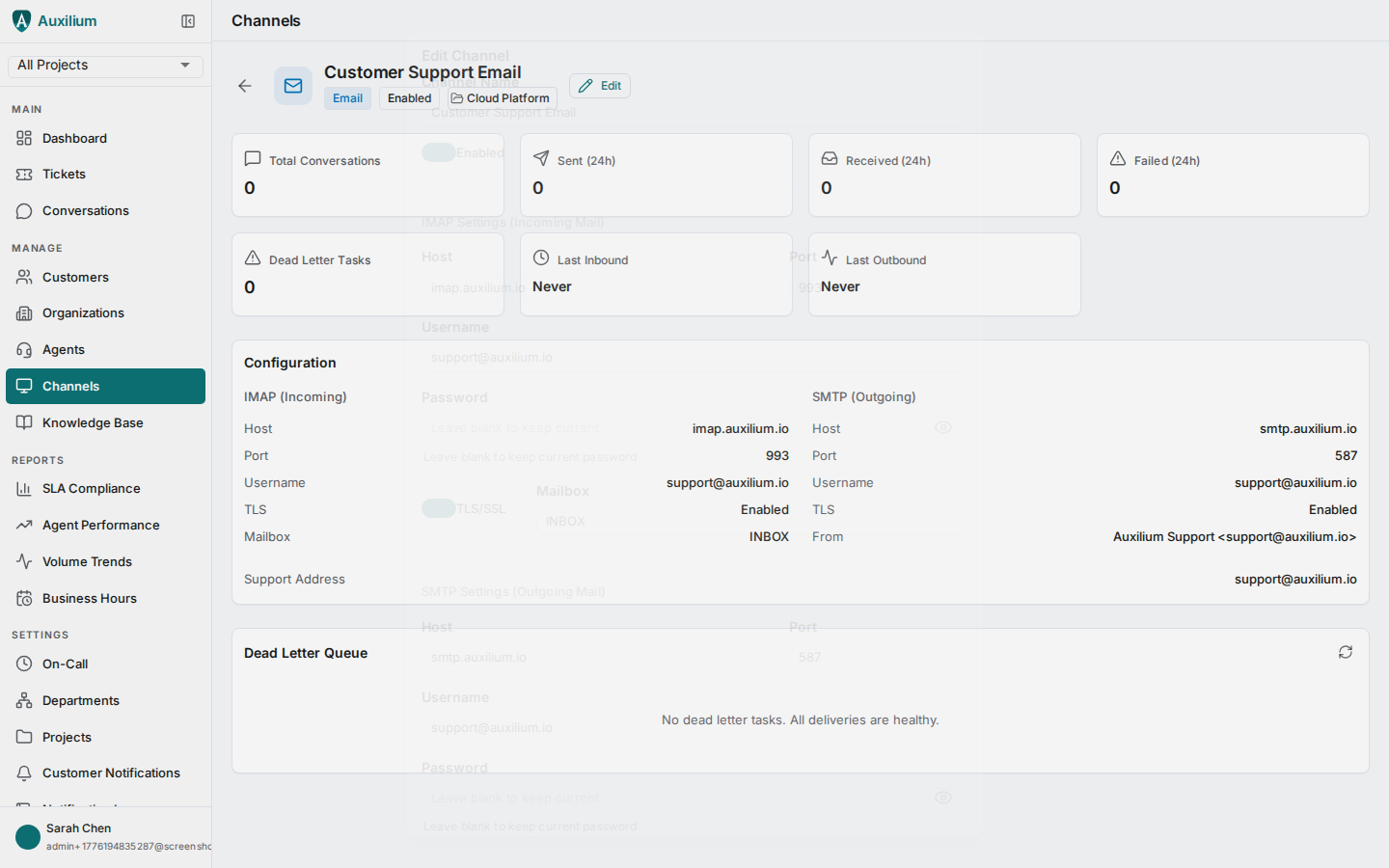
Per-channel analytics show total conversations, messages sent and received in the last 24 hours, failed deliveries, and dead-letter tasks. Spot issues before customers notice.
- Real-time channel statistics: messages, failures, last activity
- Dead-letter queue visibility with manual retry capability
- IMAP/SMTP connectivity testing before going live
- Per-channel enable/disable without losing configuration
Collaboration built into the inbox
Full-text conversation search
Search across all messages and ticket subjects with ranked results and highlighted snippets. Filter by project, channel, status, or tags.
Collision detection
Real-time presence indicators show when another agent is viewing or replying to a conversation. Avoid duplicate responses.
Internal notes
Add agent-only notes with @mentions for team coordination. Internal discussion stays invisible to the customer.